
- Plans
- Monthly 50,000 ₫ (30 days, 50 hours)
Yearly 500,000 ₫ (365 days, unlimited) - Payment
- VietQR, Vietnamese banks, VND
No international cards, no auto-renewal - Computers
- One computer per key
- Offline
- Up to 14 days between license checks
- Refunds
- Payments are not refundable except in the cases set out in the Terms
Send a request within 7 days of payment
Buy a plan in the app
- Click Upgrade to Pro in the sidebar. The screen lists all three plans; yours is marked “Current”. Buying needs an internet connection.
- Choose Monthly or Yearly.
- Enter your Email to receive your key, tick the box that lets the app store this email to send and recover your key, then click Create payment QR code.
- Scan the VietQR code with your banking app, or click Open payment page (PayOS, in your browser). The code works for 15 minutes; its expiry time is on screen.
- Wait for the app to confirm (it checks the order every 3 seconds): “Payment received. Your plan is active on this computer, and the key is in your email.”
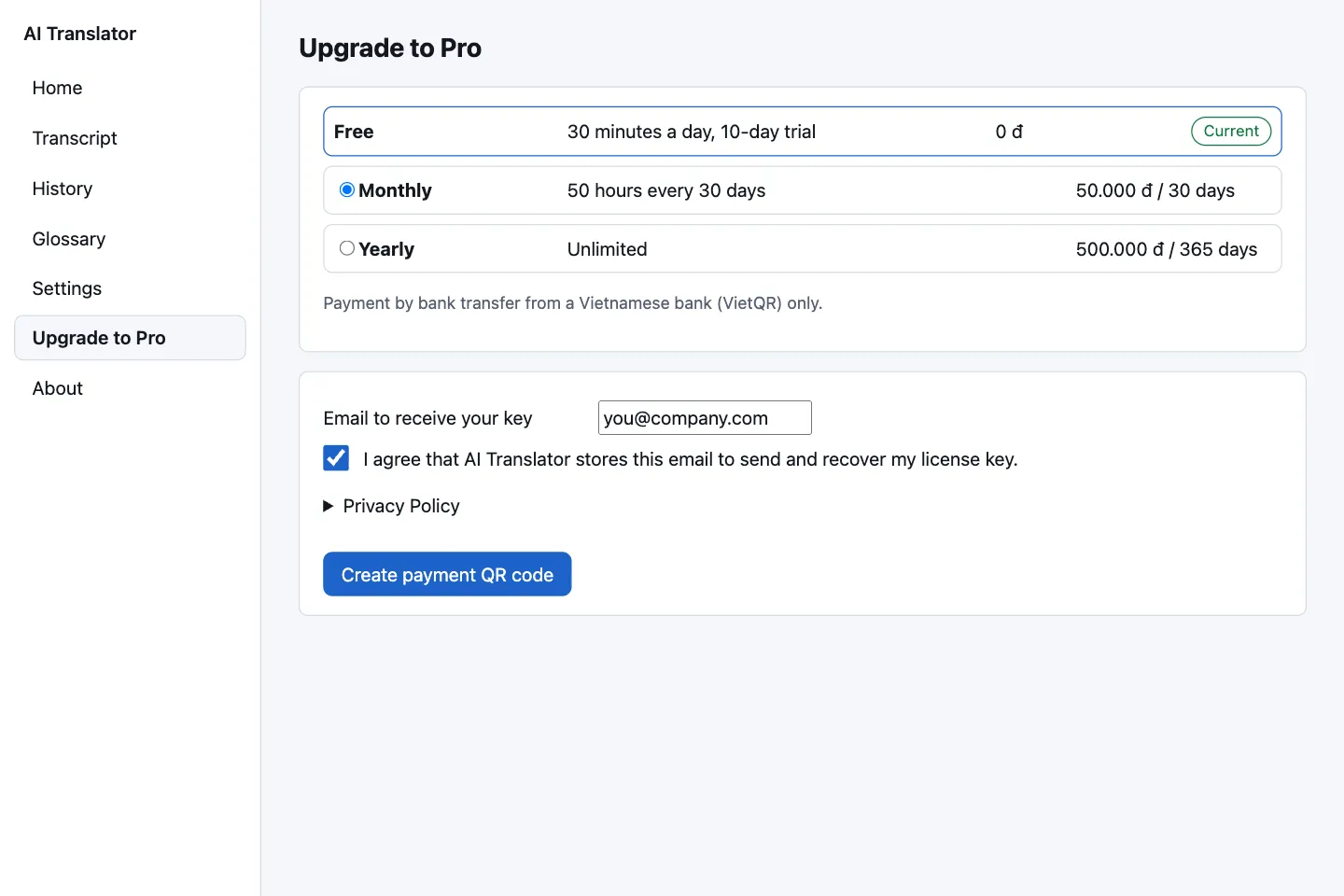
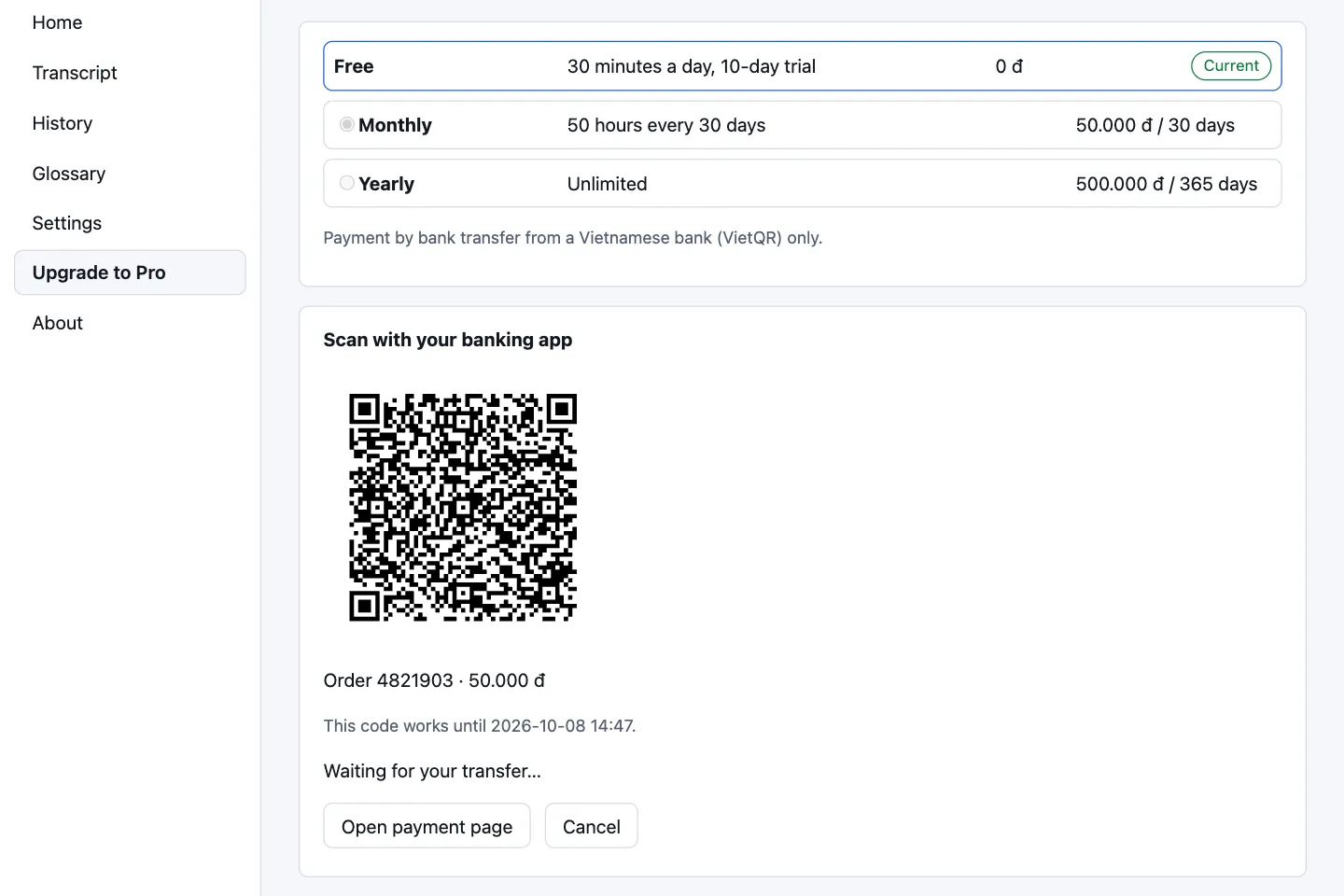
Payment is by bank transfer from a Vietnamese bank, in VND, through PayOS only. See the pricing page for prices and quotas.
Get your key by email and enter it
The key is sent from no-reply@mail.aitranslator.io.vn to the email you entered. Keep that email for reinstalling or activating another computer; if it is missing, check your spam folder. A key has 7 groups of 4 characters: XXXX-XXXX-XXXX-XXXX-XXXX-XXXX-XXXX.
- Open Settings › License.
- Under Activate a key, paste the key into the License key box (dashes, spaces and letter case do not matter).
- Click Activate.
The app checks the key on your computer; a typo gives “This key is not valid. Check it for typos.” Once active, the app shows the key masked; the full key stays in your email. To enter a different key, first click Deactivate this computer. Keep your key private.
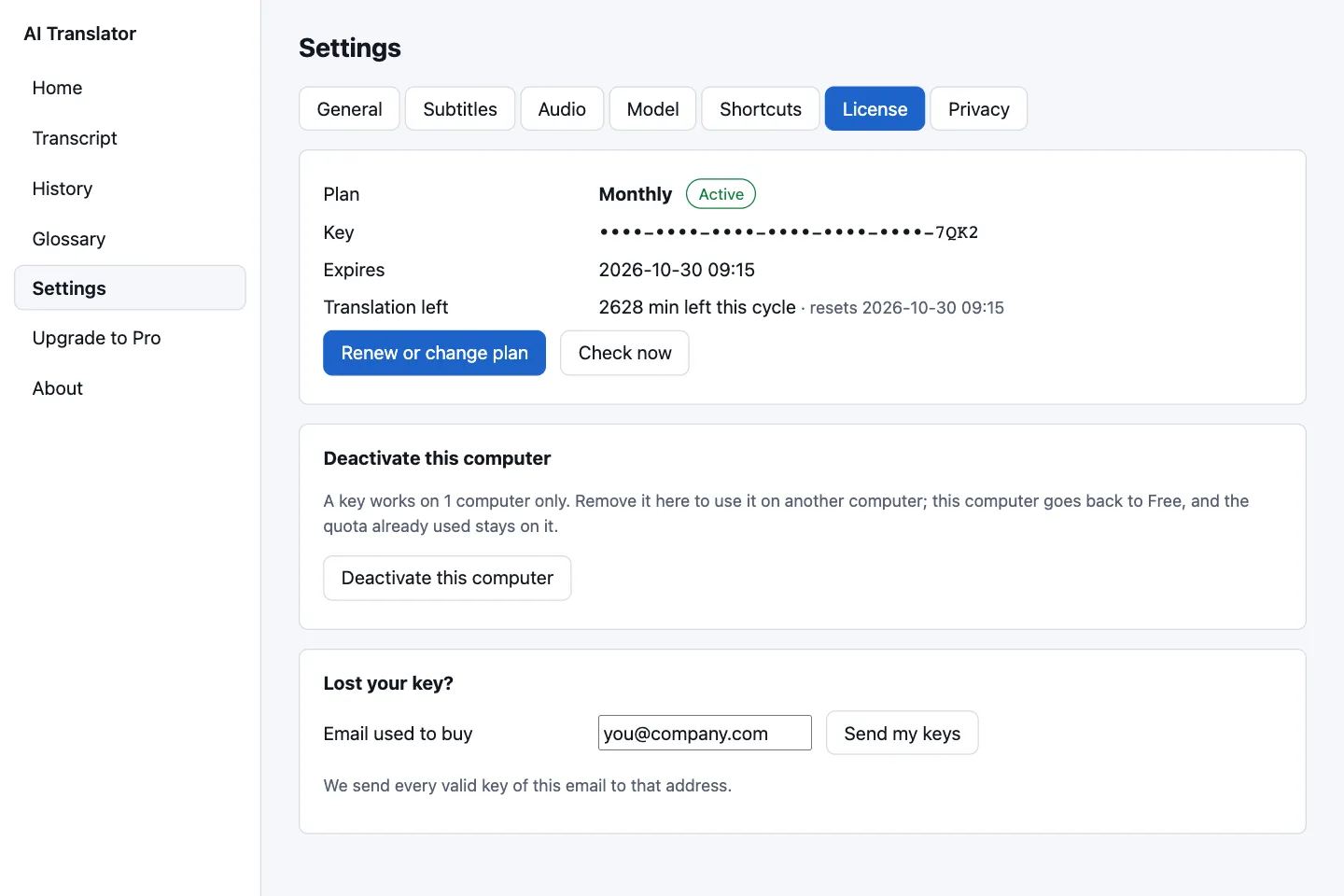
Lost your key
Go to Settings › License › Lost your key?, enter the Email used to buy and click Send my keys. Every valid key of that email is sent to that same address. The app always says “If this email has a key, it is on its way.”, whether or not it has one. Still nothing? Write to support@aitranslator.io.vn.
One key, one computer: how to switch
Reinstalling the app on the same computer does not count as a new computer. Quota is counted per computer: what you used stays on the old one.
| Situation | What to do |
|---|---|
| You can still use the old computer | On the old one, open Settings › License › Deactivate this computer and confirm with Deactivate. That computer goes back to Free. Then enter the key on the new one. |
| The old computer is broken or out of reach | On the new one, enter the key. The app shows the computer holding it and a Remove that computer and use this one button. |
| You click Activate on this computer anyway | The key is locked on both computers until one removes it. The app asks you to confirm first. |
When a key is locked, the License group shows a Locked badge, the message “This key is in use on 2 computers, so it is locked. Remove it from one computer to keep using it.” and both computers. Click Remove the key from this computer or Remove that computer, then Try again. While locked, the paid plan does not work on either computer.
Do not switch back and forth.
Changing computers many times within 30 days can lock the key: “This key is temporarily locked because computers were changed too often. Please contact support.”
Offline use and license checks
Speech recognition and translation need no connection. A paid plan only needs to be checked online at least every 14 days. After 14 days without a successful check the app falls back to Free and says “Your plan could not be checked for 14 days, so Free is used. Connect to the internet.” Connect, then click Check now in Settings › License. A clock moved backwards also triggers an error; see troubleshooting.
Renew, change plan and expiry
- No auto-renewal. The app warns “Your plan ends within 7 days. Renew it to keep the Pro features.” Click Renew or change plan in Settings › License.
- Renewing the same plan: adds 30 days (Monthly) or 365 days (Yearly), counted from the expiry date if the plan is still active.
- Changing plan while active: the new plan starts at once with a fresh quota cycle; the days left on the old plan are converted at the price per day and rounded down:
converted days = days left × (old price ÷ old days) ÷ (new price ÷ new days). - Expiry: the computer returns to Free if still within its 10-day trial, otherwise it cannot translate until you buy a plan. Pro features are locked.
Price per day: Monthly 50,000 ÷ 30 ≈ 1,667 ₫, Yearly 500,000 ÷ 365 ≈ 1,370 ₫. Example: with 20 days of Monthly left, buying Yearly adds 20 × 1,667 ÷ 1,370 ≈ 24 days, so Yearly runs 365 + 24 = 389 days. The other way, with 200 days of Yearly left, buying Monthly adds ≈ 164 days, so Monthly runs 30 + 164 = 194 days. The app shows the converted days and the new expiry date (an estimate) before you pay, with “No refunds.”
Payment problems, refunds and invoices
- “The amount received is less than the price. Transfer the rest for order … within 24 hours, or contact support with this order number.” Transfer the difference, or contact support.
- “Payment received, but the key could not be activated here…” Enter the key from your email in Settings › License.
Payments are not refundable, except where our fault leaves you unable to use the plan you bought and we cannot fix it within a reasonable time, or where the law says otherwise. Send a request within 7 days of the payment date to support@aitranslator.io.vn with your order number (shown on the Upgrade screen as “Order …”); changing plan is not refundable. E-invoices are not available yet; if you need a document, contact support to discuss it. Details are in the Terms of use and on the contact page.